
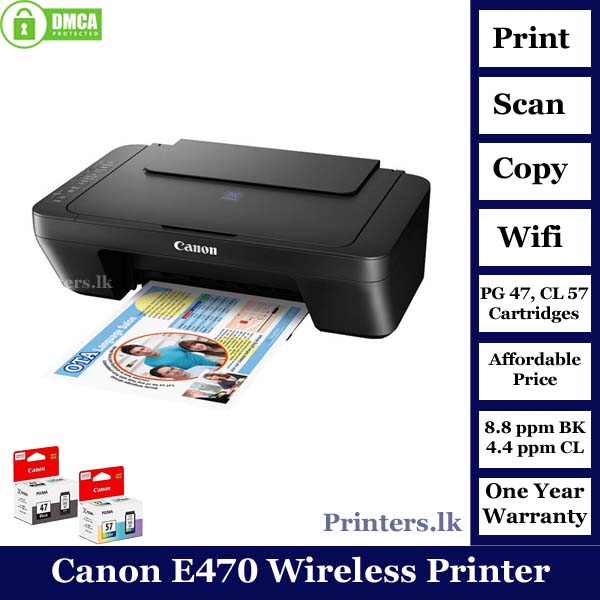
Canon Pixma E470 Printer
$ 80.38
Canon Pixma E470 Printer The Ink Efficient E470 is designed to give you an affordable wireless printing experience at low running cost of up to 400 pages with the high-capacity ink cartridge. Available in Black and Black-Grey. Print, Scan, Copy ISO standard print speed (A4): up to 8.0 ipm black / 4.0 ipm colour Wireless, Wireless Pictbridge, Direct Wireless Recommended monthly print volume: 50 – 200 pages The printer comes with efficient and pocket friendly ink cartridge for high-quality printing. Enjoy easy wireless setup, printing and scanning with this free app. Also allows you to monitor ink level status and setup cloud services remotely. Auto Power ON detects print command and automatically switches the printer on for use with a USB connection. Print, scan, and perform printer operations with ease, without the need to be tethered to a PC via USB. PIXMA CLOUD LINK With PIXMA Cloud Link*, you can print from popular online services like Facebook, Twitter, Flickr, Evernote, and Dropbox. Now you can also Scan to Email and Attach to Webmail services like Google and Yahoo. PIXMA Cloud Link scan-related applications are applicable to users that use genuine Canon ink cartridges. Cartridge Model Print Print Head / Ink Type Fine Cartridge Number of Nozzles Total 1,280 nozzles Ink Cartridges PG-47, CL-57S (Optional: CL-57) Maximum Printing Resolution 4800 (horizontal)*1 x 1200 (vertical) dpi Print Speed*2 Based on ISO/IEC 24734 Click here for summary report Click here for Document Print and Copy Speed Measurement Conditions Document (ESAT/Simplex) Approx. 8.8 ipm (black) / 4.0 ipm (colour) Printable Width Up to 203.2 mm (8 inch) Printable Area Bordered Printing Top margin: 3mm, Bottom margin: 16.7mm, Left/Right margin: 3.4 mm (LTR: Left: 6.4 mm, Right: 6.3mm) Recommended Printing Area Top Margin 31.6mm Bottom Margin 29.2mm Paper Size A4, A5, B5, Letter, Legal, 4×6″, 5×7″, Envelopes (DL, COM10), Square (5 x 5″) Custom size (width 101.6 – 215.9mm, length 152.4 -676mm)* F4 is possible via custom size settings. Paper Handling Rear Tray (Maximum Number) Plain Paper A4, A5, B5, Letter = 60 Legal = 10 Photo Paper Plus Glossy II (PP-201) 4×6″ = 20, Square (5 x 5″), 5×7″ = 10 Glossy Photo Paper (GP-508) 4×6″ = 20 Envelope European DL / US Com. #10=5 Paper Weight Rear Tray Plain Paper: 64-105 g/m², Canon specialty paper: max paper weight: approx. 275 g/m² (Photo Paper Plus Glossy II, PP-201) Ink End Sensor Dot count Print Head Alignment Manual Scan*3 Scanner Type Flatbed Scanner Method CIS (Contact Image Sensor) Optical Resolution*4 Optical resolution scan is available, only when you use TWAIN Driver. 600 x 1200 dpi Selectable Resolution*5 25 – 19200 dpi Scanning Bit Depth (Input/Output) Grayscale 16 bit/8 bit Colour 48 bit / 24 bit (RGB each 16 bit / 8 bit) Line Scanning Speed*6 Grayscale 1.2 ms/line (300dpi) Colour 3.5 ms/line (300dpi) Scanning Speed*7 Reflective (A4 Colour / 300dpi) Approx. 14 sec Maximum Document Size Flatbed A4/LTR (216 x 297 mm) Copy Maximum Document Size Flatbed A4/LTR (216 x 297 mm) Compatible Media Size A4, Letter Type Plain Paper Image Quality Plain Paper: Draft, Standard Copy Speed*8 Document (sFCOT/Simplex) Approx. 28 sec Document (sESAT/Simplex) Approx. 2.1 ipm Multiple Copy Black/Colour: 1 – 21 pages Canon Pixma E470 Printer Network Protocol TCP/IP Wireless LAN Network Type IEEE802.11b/g/n Frequency Band 2.4 GHz Channel*9 1 – 13 Range Indoor 50 m (depends on the transmission speed and conditions) Security WEP 64/128 bit WPA-PSK (TKIP/AES) WPA2-PSK (TKIP/AES) Direct Connection (Wireless LAN) Available Canon Pixma E470 Printer Printing Solutions Canon Print Service (for Android) Available PIXMA Cloud Link From Smartphone or Tablet Available Canon PRINT Inkjet/SELPHY (for iOS/Android) Available Canon Pixma E470 Printer System Requirements*10 Windows 10 / 8 / 7 SP1, Windows Vista SP2 Mac OS X 10.8.5 and later Interface Hi-Speed USB 2.0 Operating Environment*11 Temperature 5 – 35°C Humidity 10 – 90% RH (no dew condensation) Recommended Environment*12 Temperature 15 – 30°C Humidity 10 – 80% RH (no dew condensation) Storage Environment Temperature 0 – 40°C Humidity 5 – 95% RH (no dew condensation) Quiet Mode Available Acoustic Noise*13 (PC Print) 46.5 dB(A) Power AC 100-240 V, 50/60 Hz Power Consumption OFF Approx. 0.2 W Standby (Scanning lamp is off) Approx.1.6 W Copying*14 Approx.10 W Printing*15 Approx. 10 W Dimension (WxDxH) Approx. 426 x 306 x 145 mm Weight Approx. 3.5kg Canon Pixma E470 Printer Page Yield Plain Paper (A4 pages) (ISO/IEC 24712 test file)*16 Standard: PG-47: 400 CL-57S: 180 Optional: CL-57: 300