
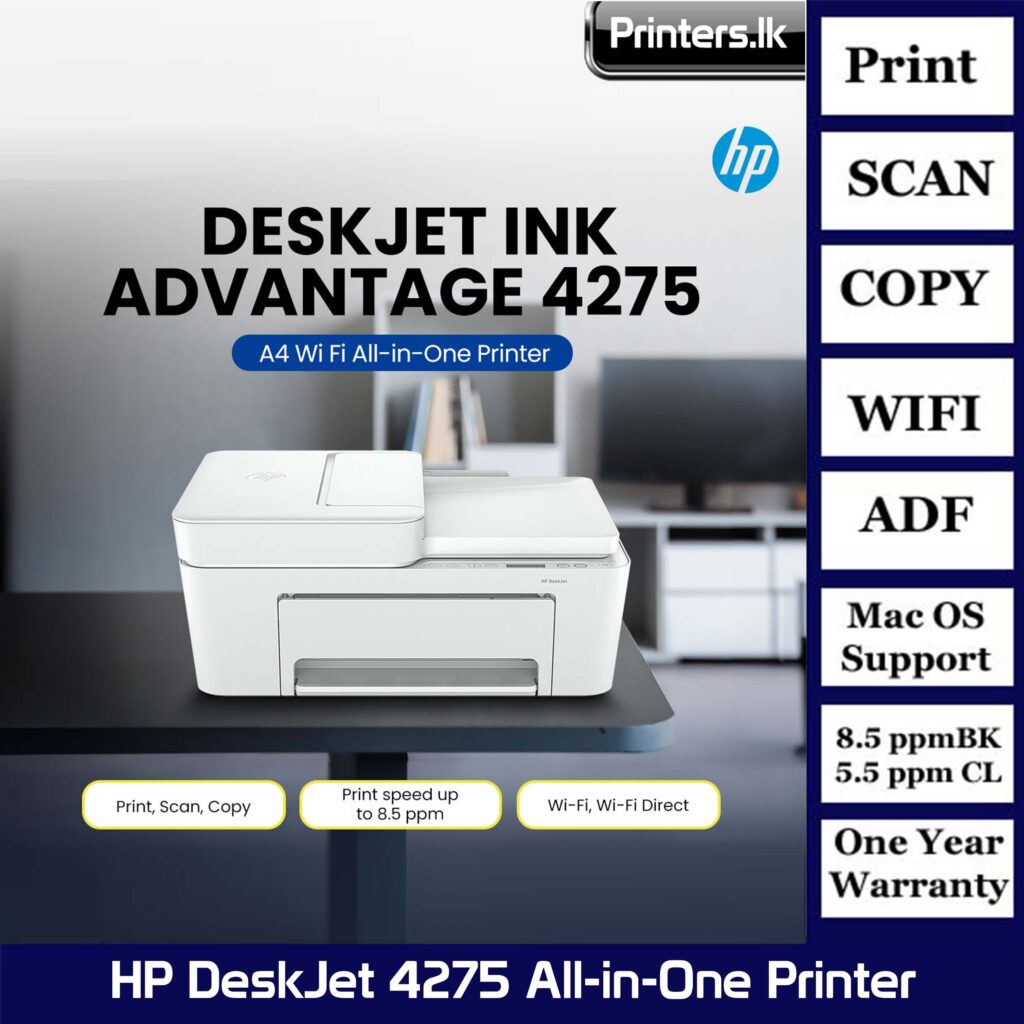
HP DeskJet Ink Advantage 4275 All-in-One Printer
$ 88.42
HP DeskJet Ink Advantage 4275 All-in-One Printer Effortlessly print, scan, and copy with this compact, wireless printer with an automatic document feeder, paired with the easiest-to-use print app. From labels to recipes, enjoy a seamless experience from the World’s #1 Printer Company. HP Product Disclaimer: This is an HP enabled printer. Choose HP at product setup to activate benefits. HP requires an HP account, ongoing connection to the internet, and exclusive use of Original HP Ink cartridges for the life of the printer. More at: http://www.hp.com/plus Functions: Print, copy, scan Print speed: Print speed up to 8.5 ppm (black) and 5.5 ppm (color) Print quality black (best): Up to 1200X 1200 rendered dpi (when Printing from a computer) Automatic document feeder capacity: Standard, 35 sheets Dynamic security enabled printer. This printer is intended to work only with cartridges that have new or reused HP electronic circuitry, and it uses dynamic security measures to block cartridges using modified or non-HP circuitry. Periodic firmware updates will maintain the effectiveness of these measures and block cartridges that previously worked. Reused HP electronic circuitry enables the use of reused, remanufactured, and refilled cartridges. More at: Easily scan and copy multiple pagesEasily scan/copy multiple pages with an automatic document feeder and print from your phone with HP app 4 Stay connected with our most reliable Wi-Fi® 5Be always ready to print with our most reliable Wi-Fi® that automatically reconnects if connection is lost 5 Save up to 50% on ink and never run out 6, 7Join over 12 million people enjoying the world’s first smart ink delivery service-up to 50% off on ink. 8, 6 Driving innovation with 60% recycled plastic 9Choose printers with 60% recycled plastic and help protect our forests with every page you print 9, 10 Functions Print, copy, scan HP Product Disclaimer This is an HP enabled printer. Choose HP at product setup to activate benefits. HP requires an HP account, ongoing connection to the internet, and exclusive use of Original HP Ink cartridges for the life of the printer. More at: http://www.hp.com/plus Print speed black (ISO) Up to 8.5 ppm 1 Print speed black (draft, A4) Up to 20 ppm 1 Print speed black (ISO, A4) Up to 8.5 ppm 1 Print speed color (ISO) Up to 5.5 ppm 1 Print speed color (draft, A4) Up to 16 ppm 1 Print Speed Color (ISO) Up to 5.5 ppm 1 First page out black (A4, ready) As fast as 15 sec First page out color (A4, ready) As fast as 19 sec Duplex printing Manual (driver support provided) Duty cycle (monthly, letter) Up to 1000 pagesUp to 1000 pages (Duty cycle is the maximum number of pages that can be printed in a month, but this page volume is not recommended on an ongoing basis.) Duty cycle (monthly, A4) Up to 1000 pages (Duty cycle is the maximum number of pages that can be printed in a month, but this page volume is not recommended on an ongoing basis.) Recommended monthly page volume 100 to 300 (HP recommends the number of pages printed not exceed the recommended monthly page volume for optimum device performance.) Print quality black (best) Up to 1200X 1200 rendered dpi (when Printing from a computer) Print quality color (best) Up to 4800 x 1200 optimized dpi color (when printing from a computer on selected HP photo papers and 1200 input dpi) Print languages HP PCL 3 GUI; HP PCLm (HP Apps/UPD); URF (AirPrint) Print technology HP Thermal Inkjet Connectivity, standard 1 Wi-Fi 802.11b/g/n; 1 Hi-Speed USB 2.0 (device) Mobile printing capability Apple AirPrint™; Chrome OS; Mopria-certified; HP app 2 Network capabilities Yes, built-in Wi-Fi 802.11b/g/n, 2.4 GHz single-band only, with Bluetooth® 4.2 Wireless capability Yes, built-in Wi-Fi 802.11b/g/n, 2.4 GHz single-band only Wireless technologies 802.11b/g/n Minimum System Requirements for Macintosh macOS V10.14 Mojave, macOS 10.15 Catalina, macOS 11 Big Sur, macOS 12 Monterey, macOS 13 Ventura; macOS 14 Sonoma; macOS 15 Sequoia; 2 GB HD; Internet required Minimum System Requirements Windows 10, 11, : 1 GHz 32-bit (x86) or 64-bit (x64) processor, 2 GB available hard disk space, Internet connection, Internet Explorer. Digital sending standard features No Display LCD ICON Display Processor speed 1.0 GHz Maximum Memory 64 MB DDR1; 24 MB Flash Memory 64 MB DDR1 Internal Storage No Compatible Operating Systems Windows 11; Windows 10; macOS 10.14 Mojave; macOS 10.15 Catalina; macOS 11 Big Sur; macOS 12 Monterey; macOS 13 Ventura; macOS 14 Sonoma; macOS 15 Sequoia; Chrome OS (Windows 11; Windows 10; macOS 10.14 Mojave; macOS 10.15 Catalina; macOS 11 Big Sur; macOS 12 Monterey; macOS 13 Ventura; Chrome OS; macOS 14 Sonoma; macOS 15 Sequoia) Paper handling input, standard 60-sheet input tray Paper handling output, standard 25-sheet output tray Paper handling input, optional Not Applicable Paper handling output, optional Not Applicable Finished output handling Sheetfed Media types Plain paper, photo paper, brochure paper, envelopes and other specialty inkjet papers Media sizes supported A4; B5; A6; DL envelope Media sizes, custom 76 x 127 to 215 x 355 mm Borderless printing No Media weight, recommended 75 g/m² Scanner type Flatbed, ADF Scan file format JPEG, TIFF, PDF, BMP, PNG Scan resolution, optical Up to 1200 dpi Scan resolution, hardware Up to 1200 x 1200 dpi Scan size (ADF), maximum 215.9 x 355.6 mm Scan size, maximum 216 x 297 mm Scan speed (normal, A4) Up to 2.5 ipm (200ppi, b&w); up to 2.5 ipm (200ppi, color) Scan speed duplex (normal, A4) No Scan speed duplex (normal, letter) No Scan speed (normal, letter) Up to 2.5 ipm (200ppi, b&w); up to 2.5 ipm (200ppi, color) Automatic document feeder capacity Standard, 35 sheets Scan technology Contact Image Sensor (CIS) Copy Speed Black (maximum, A4) Speed specifications have been updated to reflect current industry testing methods. Copy speed black (ISO) Up to 6 cpm Copy speed color (ISO) Up to 3 cpm Copy resolution (black text) Up to 300 x 300 dpi Copy resolution (color text and graphics) Up to 300 x 300 dpi Copy resolution (black graphics) Up to 300 x 300 dpi Copies, maximum Up to 9 copies Copy reduce / enlarge settings Via HP app Power consumption 2.8 W (ready), 1.53 W (sleep), 0.3 W (auto-off), 0.3 W (off). 3 (Power requirements and consumption are based on the country/region where the printer is sold. Do not convert operating voltages. This will damage the printer and void the product warranty.) Power Input voltage: 100 to 240 VAC ( /- 10%), 50/60 Hz ( /- 3 Hz), 350 mA. India input voltage: 200 to 240 VAC ( /- 10%), 50/60 Hz ( /- 3 Hz), 350 mA. Operating humidity range 15 to 80% RH (non-condensing) Recommended operating humidity range 20 to 80% RH (non-condensing) Non-Operating Humidity Range 5 to 90% RH (non-condensing) Operating temperature range 5 to 40°C Operating temperature range 41 to 104°F Safety IEC 60950-1:2005 A1:2009 A2:2013, IEC 62368-1:2014, IEC 62368-1:2018, EN IEC 62368-1:2020 A11:2020, EN 62311:2008, EN 50663:2017, EN 50665:2017 Dimensions (W x D x H) 428 x 332 x 200 mm 4 (Dimensions vary as per configuration) Maximum dimensions (W x D x H) 428 x 579 x 261 mm (Output Extension Fully Out) 4 (Dimensions vary as per configuration) Weight 4.82 kg (Weight varies as per configuration) Product color Blue Breeze What’s in the box HP DeskJet 4275e All-in-One Printer; HP 67 Setup Black Cartridge; HP 67 Setup Tri-Color Cartridge; Regulatory flyer; Setup guide; Reference guide; Power cord 5 Print Cartridges/Bottle, Number 2 (1 each black, tri-color) Replacement cartridges HP 67 Black Original Ink Cartridge (~120 pages yield) 3YM56AN; HP 67XL Black High Yield Original Ink Cartridge (~240 pages yield) 3YM57AN; HP 67 Tri-Color Original Ink Cartridge (~100 pages yield) 3YM55AN; HP 67XL Tri-Color High-Yield Original Ink Cartridge (~200 pages yield) 3YM58AN; HP 67XXL Tri-Color Extra High-Yield Original Ink Cartridge (~330 pages yield) 6ZA16AN 6 (Actual yield varies considerably based on content of printed pages and other factors. For details see http://www.hp.com/go/learnaboutsupplies)